MINSANTE Financial Management Tool v3 Is Here — Built From Your Requests
When we released the first version of the MINSANTE Financial Management Tool for health facilities in Cameroon, we expected interest. We did not expect what actually happened.
Within days of the first release, district medical officers, facility directors, and registrars were sending back the same message, in different words: this is exactly what we needed — but can it also do this?
We wrote down every request. We triaged them. And then we built.
Version 3 is the direct result of that conversation with the field. Every major feature in this upgrade was requested by someone working with the tool in a real facility. This post walks through what changed, why it matters, and how to get it.
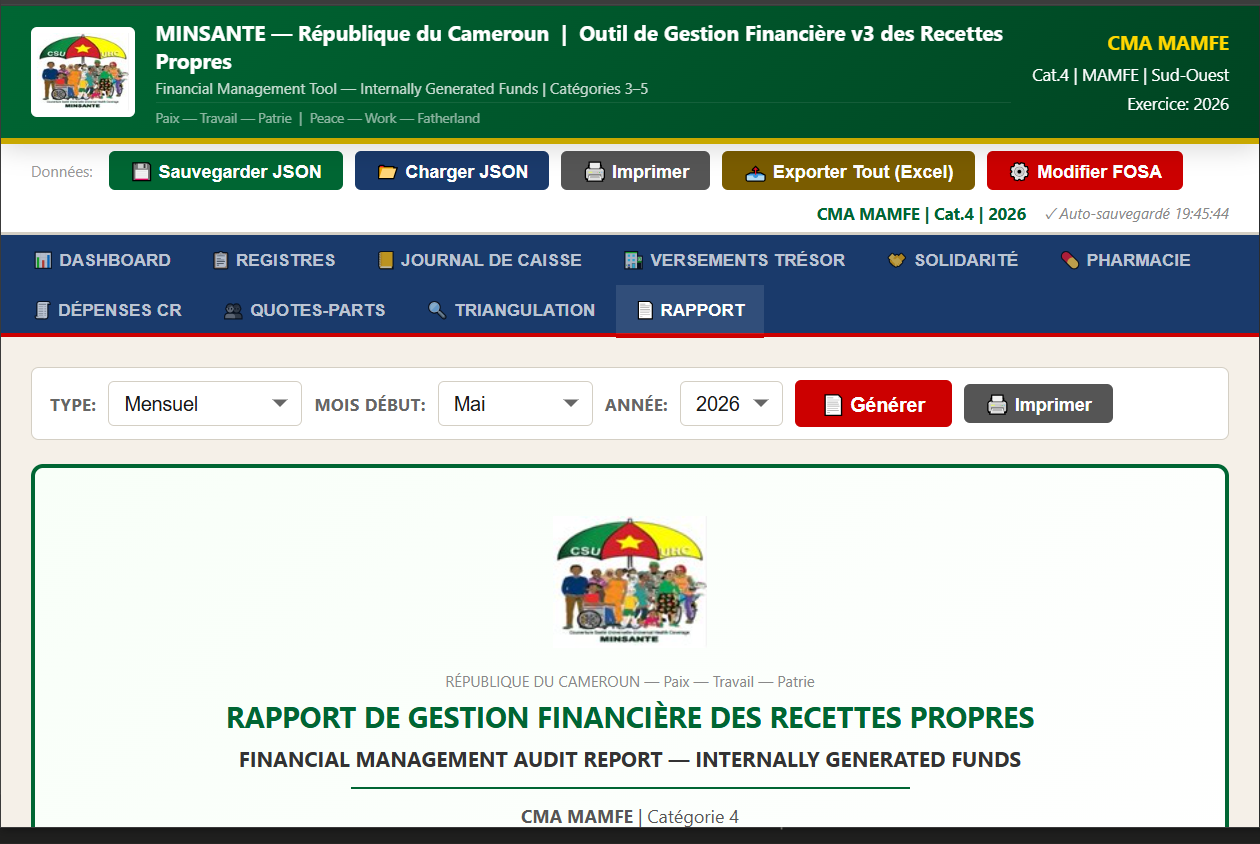
What people asked for — and what we built
”We need a way to see the whole month at once”
The original tool used a 12-tab interface — one tab per service. Precise, but slow when you are working from paper registers at the end of a busy week.
v3 adds a Monthly Grid view. A single table with 31 rows (one per day) and 12 columns (one per service). You type directly into the cells. Totals update in real time. The Grid and the original tab interface are fully synchronised — data entered in one appears immediately in the other. Both modes coexist. You choose how you work.
”The Treasury and Solidarity tables should be per decade, not per month”
This was one of the most important corrections. RGCP Article 68 is explicit: revenue must be deposited at the Treasury at the end of each decade (D1: days 1–10, D2: days 11–20, D3: days 21–end of month). A single monthly row is not compliant.
v3 rebuilds both the Treasury Deposits and Solidarity Fund tables around decades. Each month now shows three rows — one per decade — with individually calculated expected amounts, receipt fields, deposit dates, agent names, and automatic status indicators. The annual summary follows the same structure. You now have a complete, decade-by-decade audit trail for the full year.
”The calculation engine should run from the Journal de Caisse”
This was a fundamental design correction. The audit-facing source of truth in Cameroonian health finance is the Journal de Caisse — the cash book. Calculations must be traceable to that document.
v3 moves the official calculation engine into the Cash Journal tab. The moment you record an encaissement, the engine fires and displays all six steps simultaneously:
- Step 1 — Cost Recovery ring-fenced before any split (Lab × 50%, Echo × 50%, Ambulance × 50%, Pharmacy × 50%)
- Step 2 — Total Gross Revenue across all 12 service lines
- Step 3 — QP/RA Calculation Base: Gross minus CR Lab, CR Echo, CR Ambulance, and the full pharmacy revenue (100% ring-fenced)
- Step 4 — Gross Splits: QP = Base × 30%, RA = Base × 70% (Décret 2016/6447/PM)
- Step 5 — Solidarity Fund: 10% of Gross RA + 10% of Gross QP → deposited to BISEC Bank
- Step 6 — Net Final Accounts: Net QP to staff, Net RA to Treasury, CR Pharmacy to pharmacy bank account
Every number is visible. Every formula is labelled. Every step links back to its regulatory reference. This is what an auditor needs to see.
”Triangulation should work over any period”
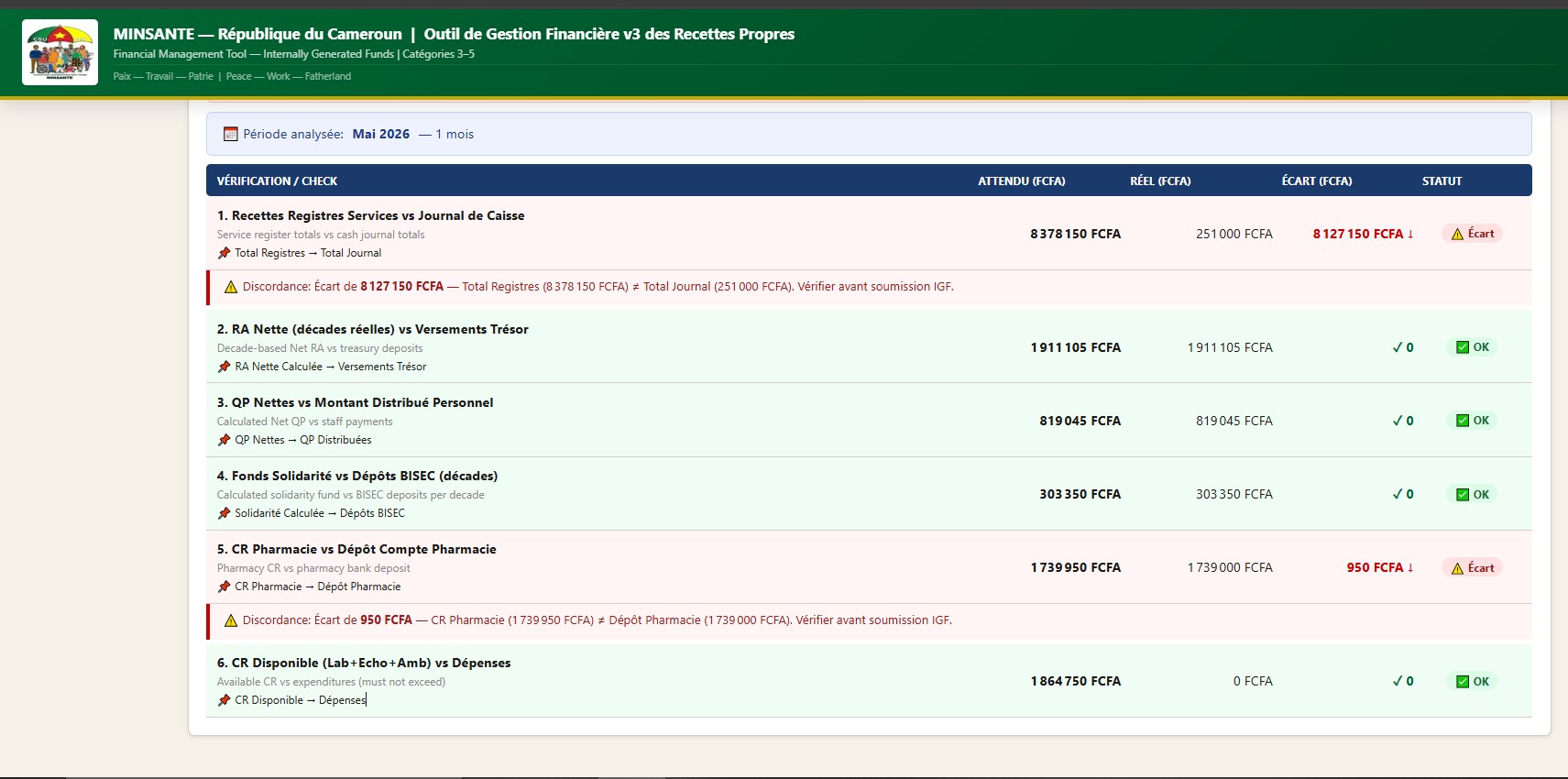
In the original tool, the triangulation engine ran for a single month. Supervisors reviewing quarterly or annual figures had to run it twelve times.
v3 makes triangulation period-aware. Select Monthly, Month Range (e.g. January to June), or Full Year. The engine aggregates all six cross-checks across the selected period and displays consolidated results alongside a month-by-month breakdown. One click. One view.
“We need to export to Excel”
The most frequently requested feature.
v3 adds CSV and Excel export to every module — Registers, Cash Journal, Treasury, Solidarity, Pharmacy, Expenditures, and Quotes-Parts. Each has its own export button. The action bar also has a single “Export All (Excel)” button that generates a multi-sheet workbook covering the entire financial year in one file.
”The report should print cleanly”
A registrar described printing the report and getting 40 pages of the tool interface instead of the 8 pages of the actual report.
v3’s print CSS hides everything except the generated report. Navigation, action bar, data entry panels, export buttons — none of it prints. Only the report content goes to the printer.
Security fixes that were not visible but matter
Four significant issues were resolved in v3:
The financial base calculation had a double-subtraction bug — pharmacy CR was being excluded twice, causing QP and RA to be systematically understated. This is now corrected.
All user-entered text that appears in the report is now sanitised before HTML injection, preventing any script injection from malformed data.
Journal entries now use stable unique IDs rather than loop indices, so deletions always target the correct entry regardless of table state.
The region dropdown now correctly restores from saved JSON files — it was silently resetting to blank on every load.
What else is new
Autosave. Every change saves automatically to browser storage and restores on next open. The status bar shows the exact time of the last save.
Ctrl+S shortcut. Saves the current tab’s data without reaching for the mouse.
Dashboard pharmacy alert. If pharmacy CR has been calculated but not deposited, the dashboard now flags it alongside the existing treasury and solidarity alerts.
Rates configuration by category. The 30/70 split, 10% solidarity, and 50% CR rates are stored in a configuration object keyed by facility category, making future adjustments clean and traceable.
The tool, in brief
A single HTML file. No installation. No internet after download. No server, no database, no subscription. Open it in Chrome or Edge on any computer — including offline laptops in health areas three hours from town.
Ten modules: Dashboard · Registers · Cash Journal · Treasury Deposits · Solidarity Fund · Pharmacy · CR Expenditures · Quotes-Parts · Triangulation · Official Report
Designed for Category 3, 4, and 5 health facilities in Cameroon. Complies with:
- Décret 2016/6447/PM — Quotes-Parts du personnel
- Décret 2018/366 — Passation des marchés
- RGCP Art. 68 — Versements décadaires obligatoires
- RGCP Art. 71 — Pièces justificatives obligatoires
- Circulaire MINSANTE — Rapport mensuel à la Délégation Régionale
A bilingual user guide (Français / English) is included with the download.
How to get v3
Price: 10,000 FCFA
Payment is via Mobile Money (MTN or Orange) — no credit card, no account required.
[ STAY_CONNECTED ]
New tools. Field notes. No noise.
Get notified when new tools launch and read dispatches from the district — straight from Mamfe to your inbox.

Dr. Nzozone Henry Fomukong
MD · Field Epidemiologist · DMO, Mamfe